Skin quiz
Build a product finder quiz that recommends a routine, without an app.
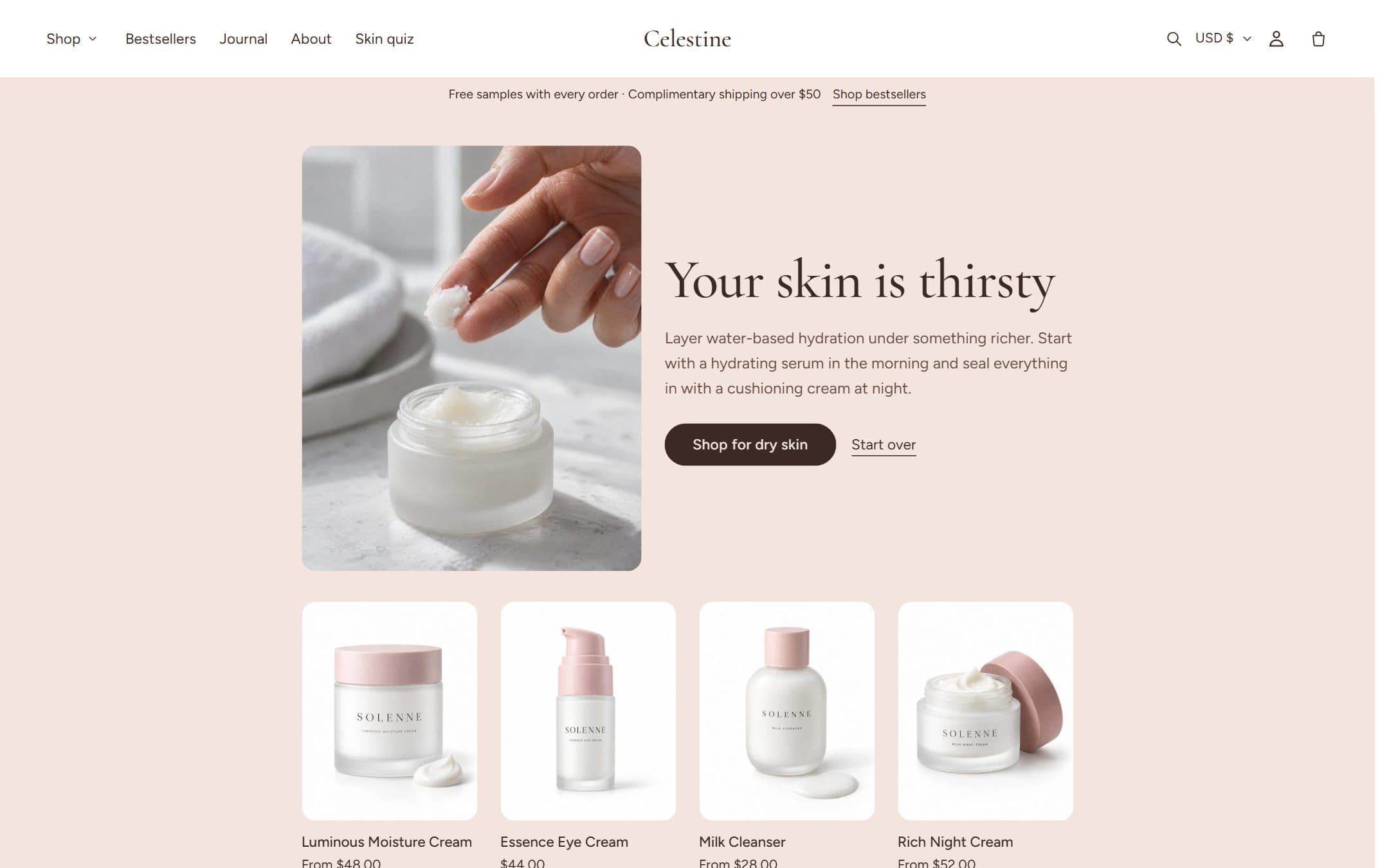
The Product finder quiz section asks a few questions one at a time and ends with a recommendation: a heading, a short explanation, an image, the first products of a collection and a button to the full collection. It runs entirely in the theme.
How the result is chosen
Every answer points to a result key, for example dry. When the visitor finishes, the key that was chosen most often wins and that result is shown. If two keys tie, the result listed first in the section wins.
Set up a quiz page
- 1Create collections for each result (for example Dry skin, Oily and combination skin, Sensitive skin, Every skin). Smart collections based on product tags such as
Skin: Drykeep themselves up to date. - 2In the admin, go to Online Store → Pages → Add page, give it a title such as "Find your routine" and choose the quiz template.
- 3Open the page in the theme editor. The quiz comes with three questions and four results ready to edit.
- 4For each result block, set the key, heading, text, image and collection.
- 5For each question, type up to four answers and the key each one points to. Answers can have an image.
- 6Add the page to your main menu so visitors can find it.
Tips
- Three questions is the sweet spot: long enough to feel personal, short enough to finish.
- Give every result a different image; it's the first thing visitors see.
- Use the same key spelling everywhere. Keys aren't case-sensitive, but
dryanddry-skinare different keys. - Without JavaScript the quiz shows all results as a list, so the page always works.